Christmas ideas / Tutorial
Little Motifs · Project guide
How to Make a Christmas Card with Transparent PNG Clipart
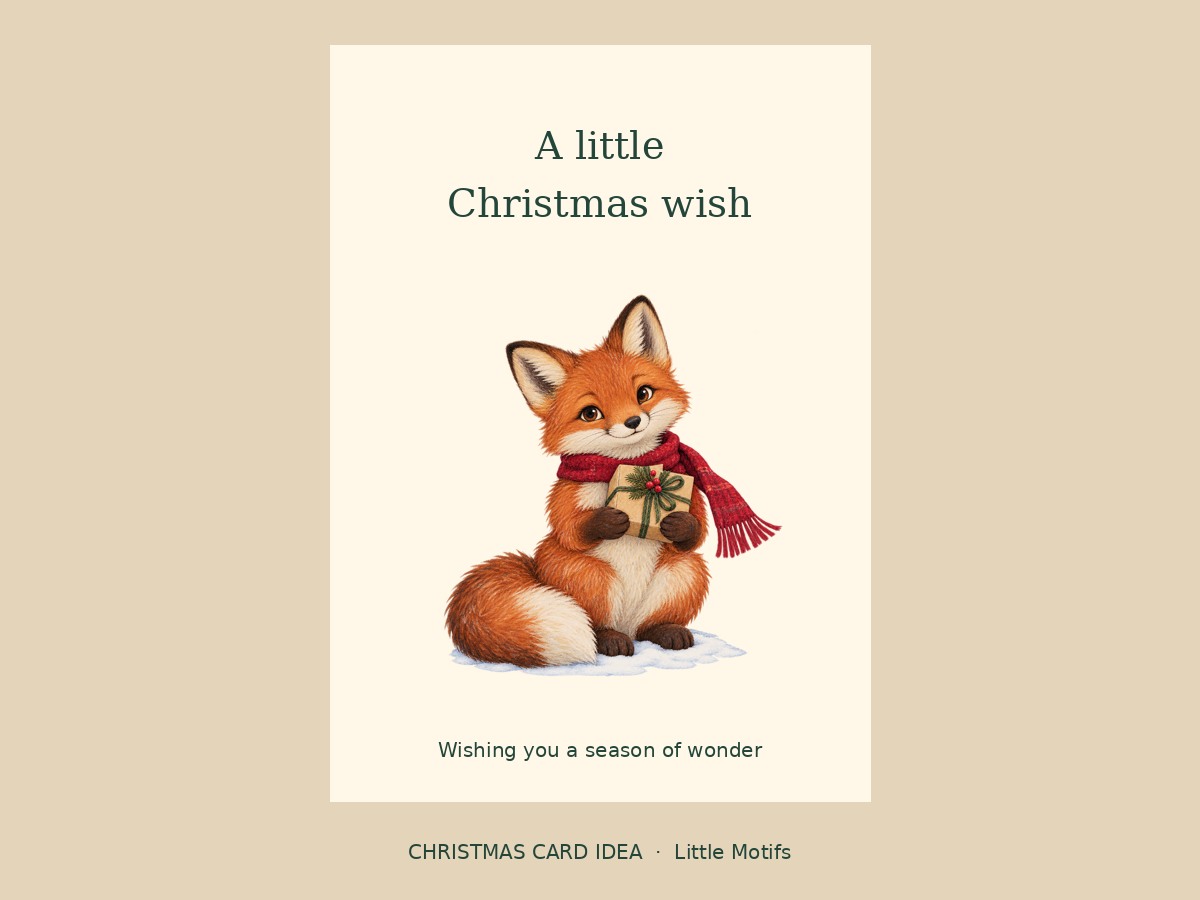
You do not need to fill a card with a large image. A small woodland character, a clear greeting and a little space around them make a warm Christmas card while respecting the native size of the artwork.
A transparent PNG works well as a small motif on a Christmas card. The card can be 5 × 7 inches while the illustration itself stays around 2–3 inches wide; the full card size does not have to match the image size.
What you need
- One or two original PNGs from Woodland Christmas or Christmas Village
- A design editor and a 5 × 7 inch card canvas
- Cardstock or a print provider’s card specifications
Try the free gingerbread PNG or browse the collections below. Paid packs are not available yet.
1. Create a 5 × 7 inch front
Use a portrait layout for the card front. If your printer requires bleed, add it according to their specifications. This project describes a single front, not a folded-card template.
2. Choose one main character
Import an original PNG, such as Fox with a gift. Start with an image width of about 2.5 inches. Keep a quiet background and let the transparent edges blend into it.
3. Add your greeting
Place “A little Christmas wish” above the character. Keep the text away from the trim edge. Add a second small motif only if it helps the design; you do not need to use a full collection on one card.
4. Check the native pixels
Find the image dimensions on the product page or in inventory.csv. Divide pixel width by the intended print width in inches to estimate ppi. Do not stretch a small original to fill a large poster.
5. Export and inspect a print
Export the finished card using your printer’s required format and settings. View a test at actual size. Check the greeting, image detail, margins and the look of RGB colors on your chosen paper.
File size and printing
The individual illustrations are RGB PNGs with transparent backgrounds. Native dimensions vary and are listed on each pack page. A larger export or a 300 ppi setting does not create more detail. Patterns and compositions are separate arrangements, not extra individual illustrations.
Can I sell the finished design?
The single-user license allows commercial finished projects. Do not resell, share or expose the source artwork. Check the full license before offering templates or digital products.
Artwork for this project
- Woodland Christmas Clipart — 20 illustrations, two transparent PNG patterns and one composition.
- Christmas Village Clipart — 20 illustrations, two transparent PNG patterns and one composition.